
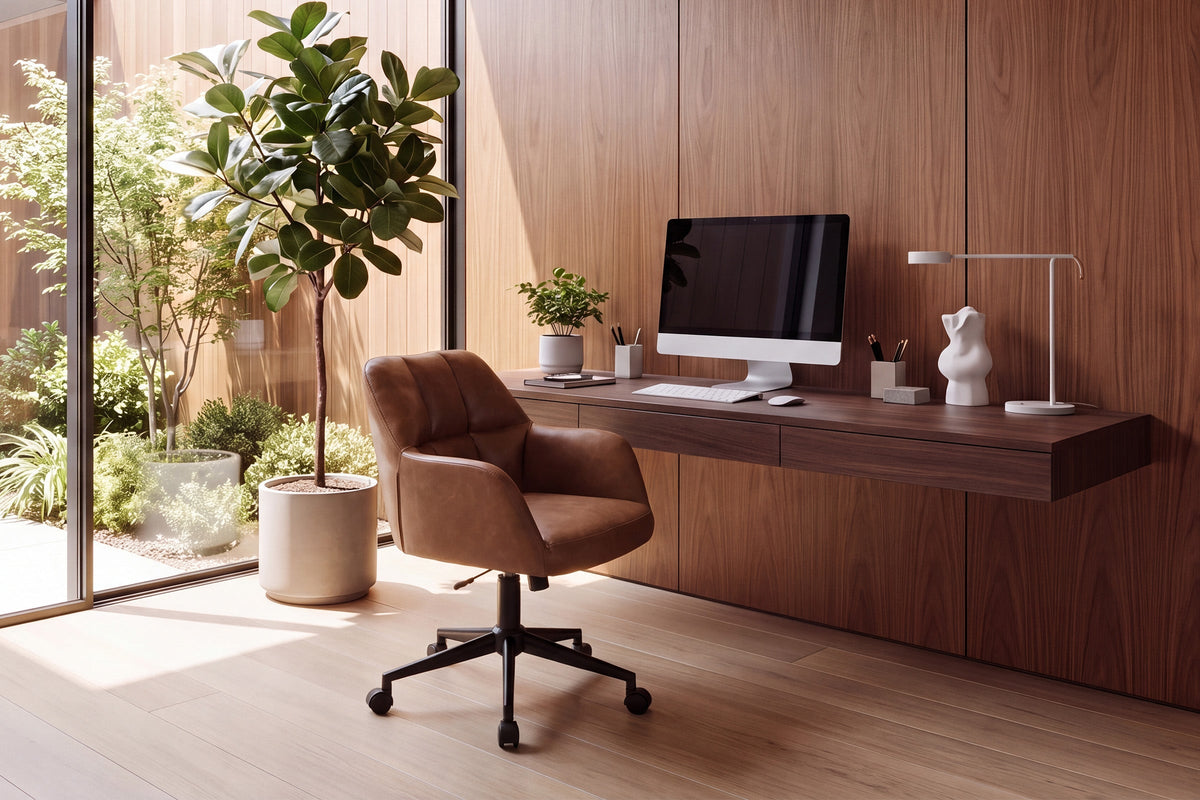
Find the right desk chair for long hours before daily strain sets in
A desk chair for long hours can look fine for the first 20 minutes and still feel wrong by lunch. That is where most buyers get tripped up. They focus on color, tufting, or a soft seat, then realize the chair sits too low for the desk, rolls badly on the floor, or leaves the lower back unsupported after a few hours.
The better approach is to treat the chair like a fit tool, not just a piece of furniture. If you measure your desk, check your posture needs, and compare support, cushion, and mobility features, you can narrow the field quickly.
What a desk chair for long hours needs to do
A good desk chair for long hours should help you stay upright without locking you into a stiff posture. In practice, that means the chair must match your desk height, support the mid and lower back, reduce pressure under the hips, and let you move enough that you are not constantly twisting or scooting.
The non-negotiables first
Before you compare style details, check whether the chair can do these jobs well:
- Keep your feet flat or close to flat on the floor
- Let your elbows sit near a 90-degree angle at the desk
- Support your lower and mid-back during typing
- Give enough seat padding without letting you sink too deep
- Turn and roll easily if you reach for files, printers, or a second monitor
- Stay stable under your body weight and normal movement
Key terms worth knowing
These terms show up on almost every product page, but they matter only if you know what they affect in daily use:
- Seat height: the floor-to-seat range; this determines whether the chair fits your desk
- Back support: how the backrest supports the spine, especially the mid and lower back
- Seat depth: the front-to-back sitting space; too deep can press behind your knees
- Swivel base: lets you rotate instead of twisting your torso
- Caster mobility: how the chair rolls across wood, tile, or carpet
- Weight capacity: the tested load limit for stable everyday use
How to choose the right fit step by step
Fit comes before features. Even the best chair features for long work sessions will disappoint if the chair is too low, too high, or shaped for a different work style. Work through the basics in order, and you will avoid most bad purchases.
Start with desk-height alignment
Measure your desk or table height first. Then compare that number with the chair’s seat-height range, not just the chair’s overall height. A standard desk often works best when your elbows rest near desk level with shoulders relaxed, wrists neutral, and feet supported.
Use this quick check:
- Sit so your hips are fully back in the chair
- Lower or raise the seat until elbows are near 90 degrees
- Make sure shoulders are not lifted while typing
- Confirm your thighs are supported without hard front-edge pressure
- Add a footrest if the desk is right but your feet hang slightly
Check back support for the way you actually work
Back support is not just about having a tall backrest. It is about where the support lands when you type, read, lean back, and reposition.
Think about your work pattern:
- Mostly typing and meetings: choose steady upright support
- Mixed laptop, writing, and calls: choose a chair that lets you reposition easily
- Style-forward visible office: make sure a decorative back still has real structure
- Long seated blocks: avoid overly soft padding that collapses by midday
Match mobility to your room layout
Mobility matters more than many buyers expect. If you pivot between monitor, notebook, and storage, a swivel base and smooth casters reduce repeated twisting.
Check these room-fit details:
- Swivel helps if you work across more than one surface
- Casters suit desks where you move in and out often
- Small rooms benefit from easy turning instead of scooting backward
- Hard floors and rugs change how smooth the chair feels in daily use
Best fit for an aesthetic-first home office
If your desk sits in a bedroom, living room corner, or open-plan apartment, visual softness may matter almost as much as comfort. In that case, tufted and upholstered task chairs can be a smart middle ground.
Look for:
- A compact footprint that does not dominate the room
- Upholstery that blends with surrounding furniture
- Swivel and caster movement for practical use
- Enough back structure for two- to six-hour sessions
Best fit for mixed dining-desk use
Some homes use one surface for meals, laptop work, and paperwork. That setup demands more compromise. A dining-style chair can look cleaner, but it usually gives up adjustability. A desk chair with softer styling often handles the workload better.
For this use, prioritize:
- Height adjustment before decorative details
- Easy wipe-clean upholstery
- Quiet movement around the table
- Supportive back shape over ultra-plush seating
Best fit for longer keyboard sessions
Once your seated time regularly pushes past four to six hours, adjustability rises in importance fast. You will notice small fit errors more clearly, especially in shoulder position, hip pressure, and lower-back fatigue.
A stronger long-session setup should include:
- Reliable seat-height adjustment
- Stable rolling base
- Mid-back or lumbar-focused structure
- Cushioning that stays supportive, not marshmallow-soft
- Enough room to shift posture during the day
Best fit for lower-mobility small spaces
In a tight nook, a chair that turns easily can matter more than a larger backrest. You may not need a broad executive chair if your main problem is clearance between desk, wall, and storage cart.
Keep these points in mind:
- Compact base size helps in narrow rooms
- Silent casters are useful in shared spaces
- Full swivel reduces awkward side twisting
- Moderate back height often fits under shelves better
Which chair features matter most when you sit for hours
Features should solve a real problem, not just sound impressive on a product page. For a desk chair for long hours, the most useful features are the ones that improve fit, movement, pressure control, and upkeep.
Adjustability that changes daily comfort
Height range is usually the first filter because it affects everything above it. If the seat sits wrong, your shoulders, elbows, wrists, and hips all compensate.
Key checks:
- Wider seat-height range gives you more desk compatibility
- Swivel helps reduce repeated torso strain
- Smooth casters support small movement through the day
- A stable base improves confidence when leaning or turning
Cushioning that supports without trapping you
Signs of useful cushioning:
- You feel supported, not swallowed
- Front-edge pressure stays low behind the knees
- The seat does not force a slouch within an hour
- The cushion recovers shape after you stand up
Material and finish considerations
Material affects cleaning, appearance, and heat feel.
Choose based on use:
- PU leather: easier to wipe clean and often better for multi-use family spaces
- Linen-style upholstery: softer visual feel for a residential office
- Textured finishes: can add grip, but may hold lint more easily
- Visible workspace setups: style matters more when the chair stays on camera or in a shared room
The performance checks worth comparing side by side
When you compare product pages, put these specs in one simple list:
| Feature | What to compare | Why it matters |
|---|---|---|
| Seat height | Adjustment range in inches | Determines desk compatibility |
| Back support | Height and contour shape | Affects upright comfort |
| Cushion build | Thickness and support feel | Changes hip and thigh pressure |
| Mobility | Swivel, casters, noise level | Helps movement and room flow |
| Capacity | Rated weight limit | Signals fit and stability |
| Finish | Upholstery and cleanup effort | Matters for daily maintenance |
Where buyers make the wrong tradeoffs
Most bad chair purchases come from solving the wrong problem first. You might think you need more softness, when the real issue is seat height. Or you may chase a beautiful silhouette that works for photos but not for six-hour typing days.
Common selection mistakes
Watch for these patterns:
- Buying style before body fit
- Ignoring seat-height adjustment range
- Choosing softness over support
- Skipping room-mobility planning
- Forgetting floor and caster match
- Assuming any office chair fits every task
The biggest miss is assuming “cushioned” means “comfortable all day.” In reality, long-session comfort depends on structure, alignment, and your ability to move. General ergonomic guidance from the CDC emphasizes fitting the workstation to the worker, while OSHA describes ergonomic risk as a mismatch between the worker, the task, and the equipment. Those principles apply directly to chair buying.
Smarter tradeoffs to make
A better way to choose is to decide which tradeoff you are actually making:
- Style-forward vs. task-forward comfort: visible rooms may need both, but support wins for daily use
- Compact footprint vs. fuller support: small spaces benefit from narrower profiles
- Easy cleaning vs. softer hand feel: PU surfaces are simpler to wipe, fabric often feels warmer and softer
- Basic setup vs. broader adjustability: longer sitting time usually justifies more adjustment features
Best-use guidance for common home setups
The same chair can feel great in one room and wrong in another. Match the chair to the setup, not just the product photo.
Small home office
In a small home office, prioritize swivel, quiet rolling, and a visually lighter frame. A compact chair like the X178OC can work well when you need mobility without a bulky corporate look. Wipe-clean finishes also help if the room doubles as guest space or storage.
Kitchen island or counter-height workstation
This is where buyers often make expensive assumptions. A standard adjustable office chair may still be too short for a counter-height surface, even if it looks flexible online. Verify seat-height compatibility first, then check whether the backrest supports a more upright perch for laptop work.
Dining table used as a desk
When your dining table becomes your weekday desk, support matters more than a perfect furniture match. Choose a chair that keeps your back engaged and lets you reposition easily. If the work is regular and multi-hour, an adjustable office-style Chairus chair is usually a better fit than a fixed-height decorative dining chair.
Best practices and avoidable mistakes before you buy
The safest buying process is simple: measure first, compare second, and only then decide on style. Chairus positions itself as a chair-focused marketplace built around comfort, design, and functionality, which makes it reasonable to compare its office-chair types by use case instead of by appearance alone. (chairus.com)
Do more of this
- Measure your desk height and seated elbow position
- Compare seat-height range in inches before anything else
- Prioritize back support over plush looks alone
- Recheck room dimensions and turning space
- Confirm weight-capacity fit and base stability
- Review cleaning needs if the chair sits in a shared room
Avoid doing this
- Ignore how many hours you actually sit each day
- Assume all upholstered chairs support all-day work
- Choose based only on tufting, color, or silhouette
- Forget to match caster behavior to floor type
- Treat a dining chair as equal to an adjustable work chair for daily office use
FAQ
Which dining chairs are the best for sitting for hours?
The best dining chairs for sitting for hours are upholstered models with a high or gently curved back, a padded seat made with dense foam, and a seat height that keeps your feet flat and knees at about 90 degrees. For better long-session comfort, look for armchairs or supportive side chairs with a slightly flexible back, sturdy wood or metal frames, and a seat depth that supports your thighs without pressing behind the knees. If you want dining-style seating that works better for extended use, Chairus is a practical place to compare cushioned dining chairs and dining armchairs designed with both comfort and style in mind. That said, if you work long hours every day, an adjustable ergonomic office chair is still usually the better choice than any fixed-height dining chair.
How much seat-height adjustment do most home workers need?
Most home workers need enough seat-height adjustment to keep feet supported and elbows near desk level, not a one-size-fits-all number. For many standard home desks, a useful range is one that lets you fine-tune posture instead of forcing raised shoulders or dangling feet. Chairus’s X178OC provides an 18.1- to 22-inch seat-height range, which is a practical benchmark when you compare home-office chairs online. If your work surface is taller than a standard desk, you may also need a footrest or a different chair category altogether.
Is a cushioned upholstered chair good for all-day desk work?
Yes, a cushioned upholstered chair can work well for all-day desk use if the cushioning is paired with real structure and the right fit. Softness by itself is not enough, because seats that feel plush at first can lead to slouching, hip pressure, or back fatigue after several hours. The X178OC is a good example of what to look for in Chairus’s range: cushion, shaped back support, swivel movement, and height adjustability in one package. Focus on fit, support, movement, and cleanup needs before you judge the chair by plushness alone.
What should I check before buying a desk chair online?
You should check the measurable specs first: seat-height range, back height, cushion thickness, mobility features, and weight capacity. After that, compare those specs against your actual room, desk, and work pattern instead of buying from photos alone. The most important habit is to verify fit with your desk before you place the order, since that is where most online chair mistakes start.